Guide For Portable Power Station Cable Types Explained: USB-C, DC5521 & Solar
By: Jonny Graham | Updated May 2026 | 6 min read time.
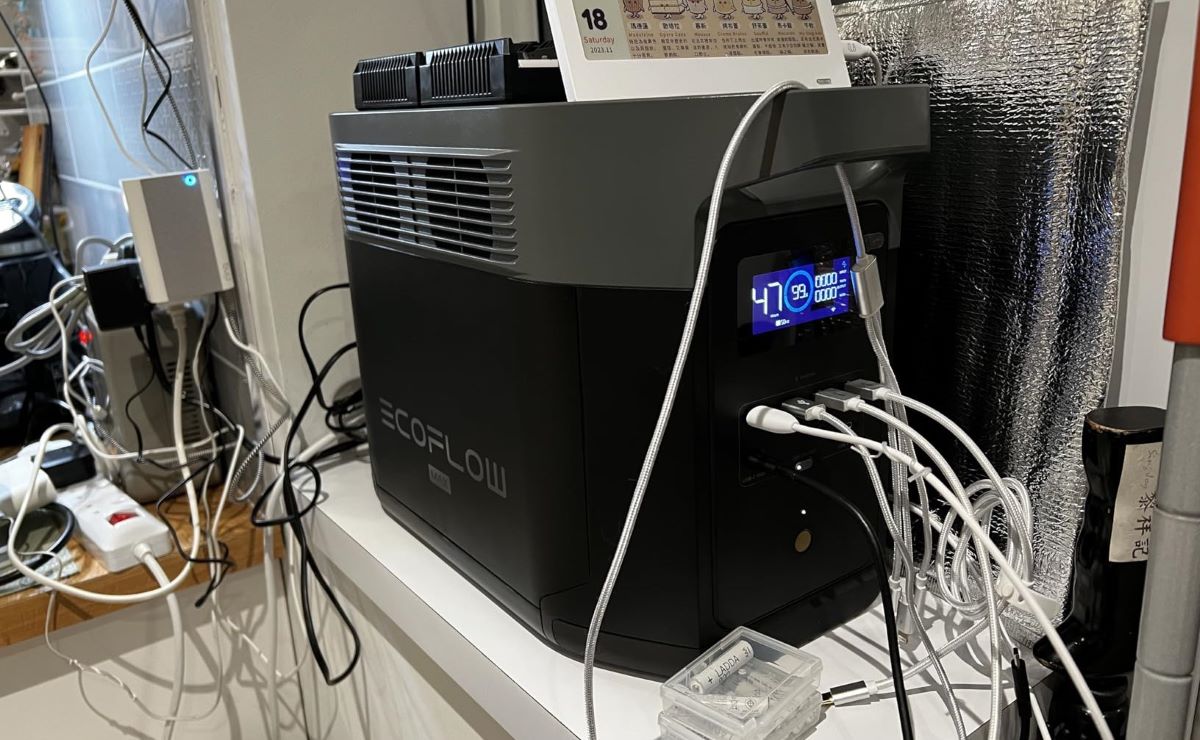
Opening the box to a new portable power station can be overwhelming because the front panel is packed with ports. You will find standard 3-pin AC wall sockets, car ports, small barrel connectors, and several types of USB ports.
To get the most battery life from your power station, it is important to know which cable goes into each port.
Choosing the right cable not only charges your devices faster but also helps save battery by avoiding the power drain from the AC inverter. Here is a complete guide to every cable and connector type you will find on a modern power station, along with what each one does.
The USB Ports (Your Everyday Charging)
The USB ports are where you will likely spend 90% of your time. Instead of plugging your device’s standard 3-pin wall charger into the AC socket (which wastes about 10-15% of your battery just turning the inverter on), you should always aim to plug your electronics directly into these DC USB ports.
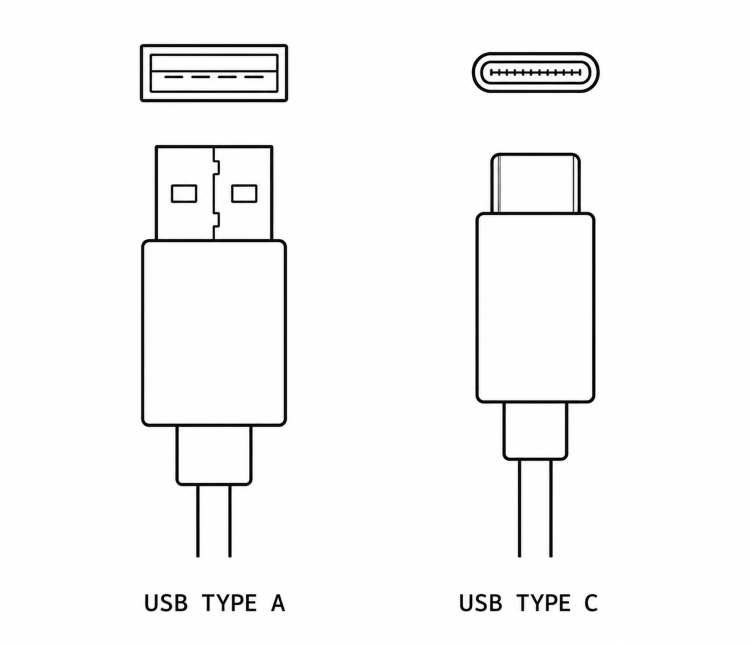
USB-A (The Standard Legacy Port)
This is the classic, rectangular USB port that has been the industry standard for two decades.
- Standard USB-A (Usually black): Delivers a slow, steady 12W of power. Perfect for charging smaller, less demanding items like headtorches, smartwatches, or basic e-readers overnight.
- Quick Charge / QC 3.0 (Usually blue or orange): Delivers up to 18W of power. Use these ports for older smartphones or tablets that support fast charging.
USB-C Power Delivery / PD (The Heavyweight Champion)
This small, oval-shaped port is the single most valuable output of a modern power station.
High-end units (like the EcoFlow DELTA series or Anker SOLIX) feature 100W USB-C PD ports. This is a game-changer. It delivers enough raw power to charge heavy-duty electronics directly, eliminating the need for a bulky AC wall adapter.
- What it runs: Modern MacBooks, high-end Windows laptops, drones, and the latest fast-charging smartphones.
- The Catch: To actually get 100W of power from this port, you must use a cable officially rated for 100W. If you use a cheap, thin USB-C cable from a petrol station, the power station will throttle the current to prevent the cable from overheating, and your laptop will charge slowly.
Upgrade Your Cables: If you have a 100W PD port on your machine, invest in a premium, nylon-braided cable with an integrated E-Marker chip. This guarantees you get the fastest possible charging speeds safely.
The 12V DC Outputs (For the Campers)
If you are a van lifer, a camper, or building an emergency backup system, the 12V DC ports are your best friends. They allow you to run low-voltage equipment highly efficiently.
The DC5521 & DC5525 (Barrel Ports)
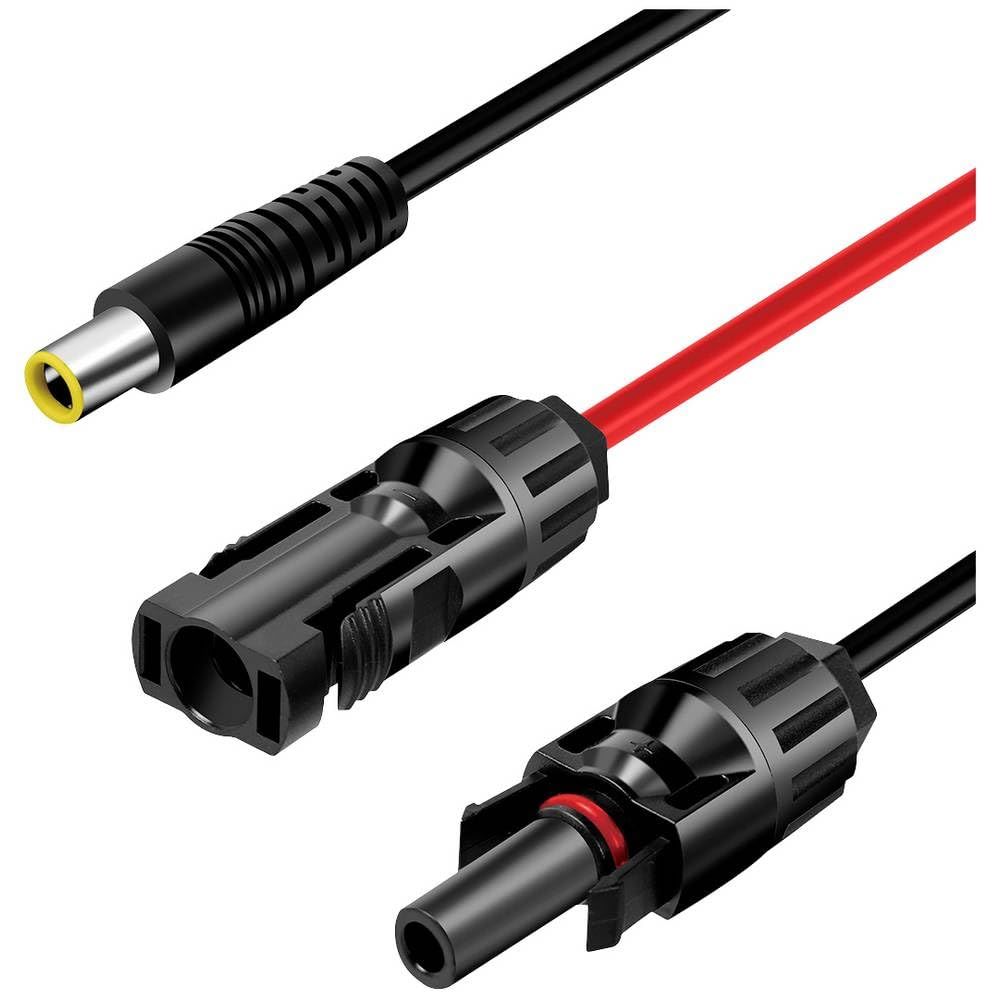
These small, circular ports are incredibly common, but often misunderstood. DC5521 simply means the plug is 5.5mm on the outside and 2.1mm on the inside.
- What they run: These ports are the industry standard for 12V electronics. They are perfect for running off-grid WiFi routers, 12V LED light strips, portable fans, and many CPAP machines.
- Why they are great: Instead of using a bulky wall plug to run a 12V router, you can buy a simple DC5521 cable and plug it straight into the power station. It looks cleaner and wastes zero energy!
The 12V Car Port (Cigarette Lighter)
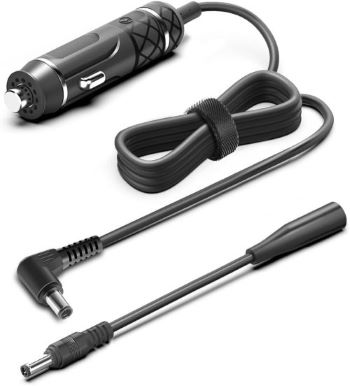
Almost every power station has this classic 12V port. As we covered in our guide on powering a campervan fuse box, this port is typically capped at 10 Amps (120W).
- What it runs: It is perfect for portable compressor fridges, 12V tyre inflators, or small camping showers. Just remember not to exceed that 10A limit, or the machine will automatically shut down the port.
3. The High-Power Inputs (Solar & Charging)

Now that we know how to get power out, let’s look at the heavy-duty cables used to push power into the machine. If you are hooking up solar panels, you will likely need an adapter to convert your panel’s standard MC4 connectors into one of these three ports:
- XT60 / XT60i (The Modern Standard): These yellow connectors are taking over the industry. Brands like EcoFlow use them exclusively. They handle high currents exceptionally well without melting, making them incredibly safe for large solar arrays.
- Anderson Connectors (The DIY Favourite): Typically red and black, Anderson connectors are bulky, heavy-duty, and snap together tightly. They are extremely popular in the Victron and DIY van build communities.
- DC8020 / DC7909 / 8mm (The Classic): These are 8mm barrel connectors heavily used by Jackery and older Bluetti models. While perfectly safe, they cannot handle as much raw amperage as an XT60.
Need to hook up solar? Standard portable power stations do not come with built-in MC4 solar ports. You will need a dedicated adapter cable to connect your roof panels to your machine.
Shop MC4 Solar Adapter Cables on Amazon
4. Why Cable Quality Actually Matters (Safety Warning)
It is tempting to buy the cheapest extension cables you can find online, but when it comes to portable power stations, cheap cables are a false economy.
If you use a thin, low-quality cable to run a high-wattage appliance or connect a solar panel, you will experience Voltage Drop. The cable simply cannot efficiently carry the power, so the energy is converted to heat. Not only does this mean your power station charges more slowly and drains faster, but it also means a melted cable is a severe fire hazard.
Always check the “AWG” (American Wire Gauge) rating on heavy-duty cables. The lower the AWG number, the thicker and safer the wire is. For solar and 12V extensions, look for heavy-duty 12 AWG or 10 AWG cables to ensure maximum safety and performance.
Common Cable Questions
Can I use any USB-C cable with a 100W PD port?
No. Standard USB-C cables are often rated only 60W. Using them with 100W devices causes the power station to throttle output. Always use cables explicitly rated for 100W USB-C PD.
Can I use port splitters to run multiple devices?
Yes, but ensure combined amperage stays under 10A. Running a 4A fridge plus a 7A air compressor (11A total) will trip the port’s protection circuit.
Why won’t my solar panels charge my power station?
There are 3 common causes:
1) Wrong adapter: Your MC4-to-power-station adapter doesn’t match your unit’s input connector.
2) Voltage mismatch: Your solar array voltage exceeds the power station’s maximum input voltage.
3) Polarity reversed: Solar positive connected to power station’s negative (or vice versa).

