
Many UK van lifers dream of parking by the beach, answering emails, and enjoying the sea view. In reality, things can be trickier. By 2:00 pm, your leisure battery might be down to 10%, Starlink could still be searching for a signal, and your MacBook might die during a Zoom call.
Having a reliable power management setup with sufficient solar and battery backup can help make remote van life work.
Here is the no‑nonsense guide to keeping your remote office running all day.
1. The Power Drain: Starlink Gen 3
Many People assume that a satellite internet works like a mobile hotspot. It doesn’t. It’s closer to a small ground station satellite that consumes a lot of power.
Power Draw: When in use: 75 W – 100 W
Standby-Idle: 25 W – 30W
Surge: Up to 120 W (During bootup or satellite searching)
The Winter Trap
To melt snow, the Starlink dish features an integrated heater. This can unknowingly double or triple the power usage if you leave it in Automatic mode.
Our Advice: Unless absolutely necessary, turn the Starlink heater to OFF in the Starlink app settings. This one tweak can save hundreds of watt-hours over the winter.

Starlink Gen 3 Satellite Dish
2. The Workhorse: The 14-inch MacBook Pro
Digital nomads favour the 14-inch MacBook Pro. Its battery packs 72.6 Wh. With this setup, if you connect your MacBook Pro to a 1000Wh portable power station such as the Jackery 1000 v2, you might get up to 13 charges in theory. Realistically, after accounting for efficiency losses, you can expect around 10 charges.
If you manage your energy use carefully, one Jackery charge can keep your laptop running for almost two weeks of work days. This makes it useful for long stretches off the grid. Add Starlink to the mix however, and the numbers reduce
3. The Secret to Making Your Battery Last Longer: DC vs AC
This is where most beginners waste power.
For Your Laptop (MacBook / Dell / HP) Avoid plugging your laptop charger into the 3-pin wall socket on your power station.
This wastes about 15% of power during the DC to AC conversion.
Use a high-power 100W USB-C car charger instead. Plug it into the cigarette lighter port of your power station for more efficient MacBook charging.

UGREEN 130W USB-C Car Charger 3-Port PD 100W
Fast Car Charger Adapter with 100W USB-C Cable Compatible
With 2 USB-C ports and 1 USB-A Port
It takes more effort to stop using the 3-pin plug with Starlink, but it’s worth it to save power.

Starlink Mini Satellite Dish
Scenario A: The Best Setup For RV Living (Starlink Mini)
If you haven’t bought a dish yet, consider the Starlink Mini. Not only is it more compact, but it also uses half the power of the Starlink Gen 3 dish and works directly on a 12V solar setup for a van.
Average Use: about 20-40 W while online
Idle: around 15 W
All you need is a USB-C-to-DC cable to connect it to your power station.

Ozkak Starlink Mini Power Cable
USB C to DC Cord Type C to DC
DC Power Cable Direct to USB-C
For Starlink Mini
Scenario B: The Standard Setup (Gen 3 Dish)
The standard Gen 3 dish uses a higher voltage of 57 Volts, so charging it with DC power can be difficult.
The safe option is to plug the standard 3-pin wall plug into your power station’s 3 pin plug socket. This method uses about 15% more energy, but it is completely safe and reliable.
For a more advanced setup, you can use a 12 V to 57 V step-up converter that plugs into the power station’s 12 V cigarette lighter socket. This avoids using the power station’s inverter and saves energy, but you will need a special adapter kit.
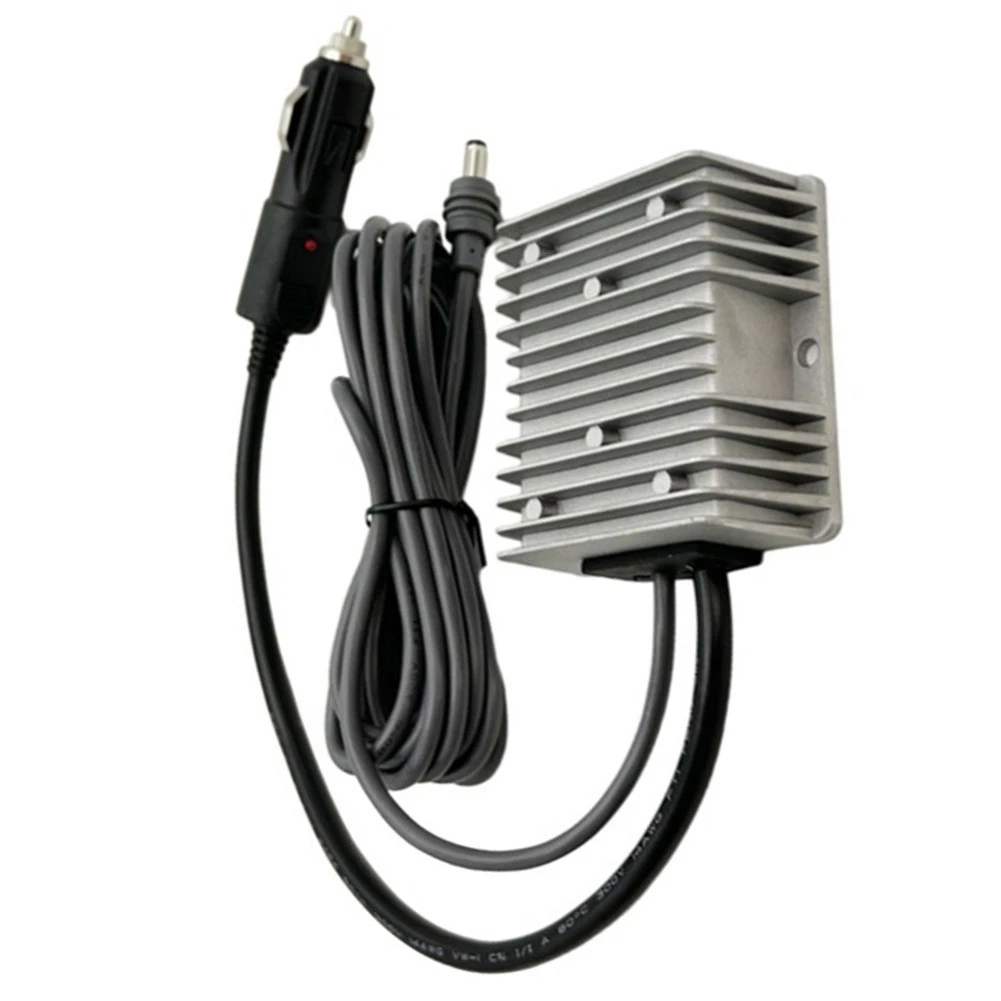
DC 12V/24V to 57V 4.5A
Starlink Gen 3 Step-up Cigarette Lighter Power Adapter
Step-Up Converter Power Cord for Car,RV,Truck etc
4. Recommended Setup for UK Nomads
If you want to run a Starlink (75W) and a MacBook (40W) for an 8-hour workday, you will need about 900Wh of power each day.
Option A: The Weekend Warrior
Jackery 1000 v2 (£449)
This setup will last for one full 8-hour workday with all your devices running. There are a few options for recharging it: solar panels, charging from the vehicle’s alternator while on the move, or an AC wall socket at a campsite the following day.

Jackery Explorer 1000 v2
Portable Power Station, 1070Wh
LiFePO4 Battery
Option B: The Full-Time UK Nomad
Bluetti AC180 (£449)
The Bluetti AC180 has a similar capacity, but it charges much faster (45 mins to 80%) when you arrive at a cafe or campsite and use an ac socket.
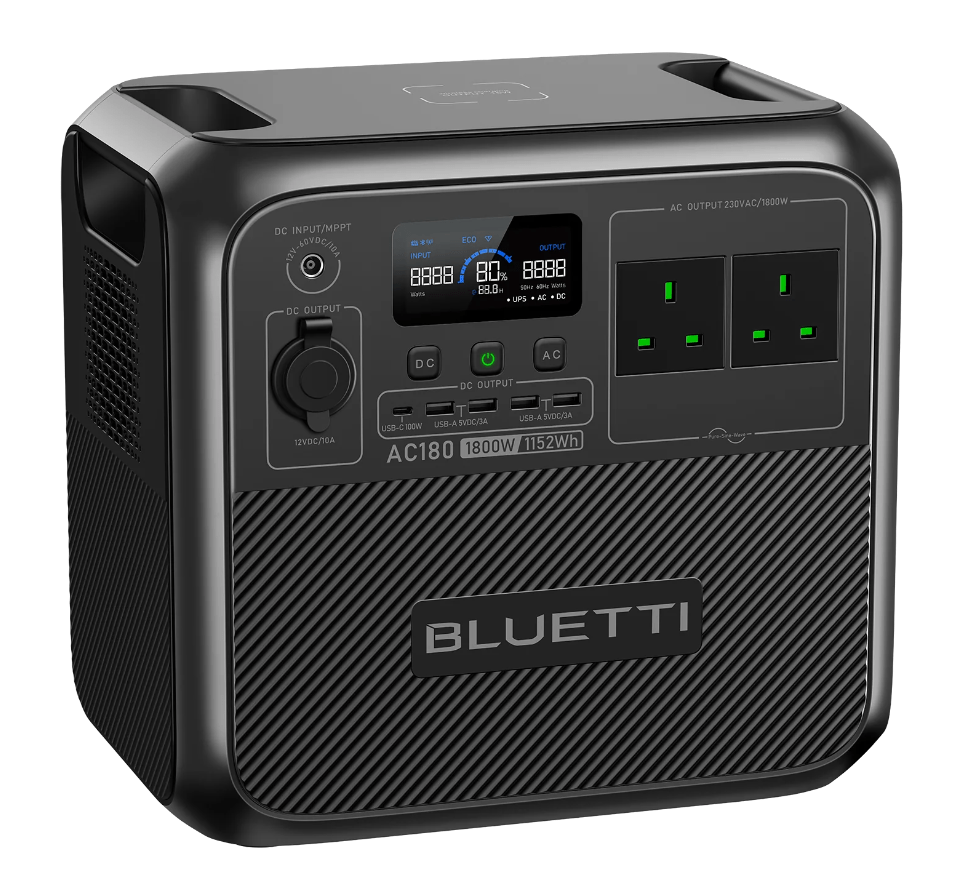
BLUETTI AC180
Portable Power Station, 1152Wh
LiFePO4 Battery
Option C: The Sensible Prepper
EcoFlow Delta 2 (£549)
Similar in capacity to the Jackery and Bluetti, but a bit more expensive. In return, you get expandable capacity (up to 2-3 kWh with additional batteries), up to 500 W of solar input, fast charging on sunny days, and fast mains charging.
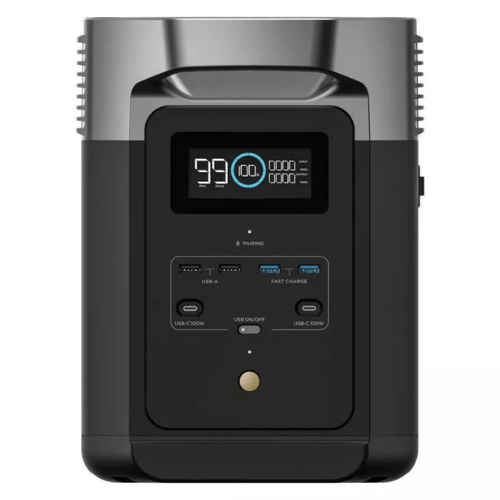
EcoFlow Delta 2
Portable Power Station 1024Wh
LiFePO4 Battery
If you plan to park your van for several days and work from it, having solar backup is important, especially in the UK where shore power is not always available.
As a general rule, you can expect about 3 to 4 hours of full sun each day, with more in summer and less in winter.
A 100-watt solar panel can produce about 300 to 500 watt-hours per day in summer if you position it well.
Example Daily Solar Yield UK Weather
| Solar Panel Setup | Approx Daily Energy (Summer) | Notes |
| 1 x 100 W panel | 300-500 Wh | Good for topping up |
| 2 x 100 W panels (200 W total) | 600-1000 Wh | Almost replaces one workday usage |
| 4 x 100 W panels (400 W total) | 1200-2000 Wh | Enough to run + recharge most days |
These figures assume your solar panels are set at a good angle and you get 3 to 5 hours of strong sunlight each day.
5) Which Solar Setup Works Best For Each Starlink Model?
Here is a typical setup:
- Starlink Mini paired with a 1000 Wh power station and 200 W solar panels.
- The Starlink Mini running at 30 W for an 8-hour workday uses about 240 Wh.
- A MacBook uses about 25 W , so over 8 hours that’s about 200Wh.
Together that’s roughly 440 Wh for the day.
With good summer sunlight, a 200 W set of solar panels can realistically put 600 to 1000 Wh back into your power station.
This leaves extra power for things like lights, charging phones and iPads.
For the larger Gen 3 dish the figures are a bit trickier.
- Starlink Gen 3 running at about 80 W for 8 hours uses around 640 Wh.
- The same MacBook at about 25 W for 8 hours, still uses about 200 Wh.
Together, that’s about 840 Wh for the day.
With 200 W of solar ( 600-1000 Wh per day), you’ll often break even in summer, but may dip into the battery reserves on cloudy days.
With 400 W of solar ( 1200-2000 Wh per day) you’re much more likely to cover the 840 Wh and still recharge the power station most days, with extra power for other devices.
Starlink Mini & Starlink Gen 3 Solar Guide
| Starlink Mini + 200 W solar | Starlink Gen 3 + 400 W solar |
| Starlink Usage: 240 Wh | Starlink Usage: 640 Wh |
| MacBook Usage: 200 Wh | MacBook Usage: 200 Wh |
| Total Used: 440 Wh | Total Used: 840 Wh |
| Solar Input: 600-1000 Wh | Solar Input: 1200-2000 Wh |
| Net Result: +160 to 560 Wh | Net Result: +360 to 1160 Wh |
While your solar panels work during the day, you can recharge the power station and keep using Starlink and your MacBook without any loss in performance. You’ll still have plenty of energy left after a productive summer workday.
Check out our solar panel calculator to get the right amount of solar panels and connectors for your power station. Just select your model from the drop-down list.
P.S. Before you spend £150 on the official Jackery panels, check out the results on Generic vs Official Solar Panels. You could save around £90 by choosing a Dokio panel instead.

